
Table of Contents
# Mastering Your New Media Hub: An Analytical Guide to the Amazon Fire TV Stick for Beginners
The landscape of home entertainment has been irrevocably reshaped by the advent of streaming technology, and at the forefront of this revolution stands the Amazon Fire TV Stick. More than just a simple gadget, this compact HDMI dongle has become a ubiquitous gateway to a vast universe of digital content, transforming ordinary televisions into smart entertainment hubs. For new users, understanding its full potential – from initial setup to advanced integration – is crucial to unlocking a truly personalized and immersive media experience. This analytical guide delves beyond the basic instructions, offering insights into the Fire TV Stick's evolution, functionality, and its significant implications for the modern media consumer.

The Evolution of Streaming: A Brief History of the Fire TV Stick
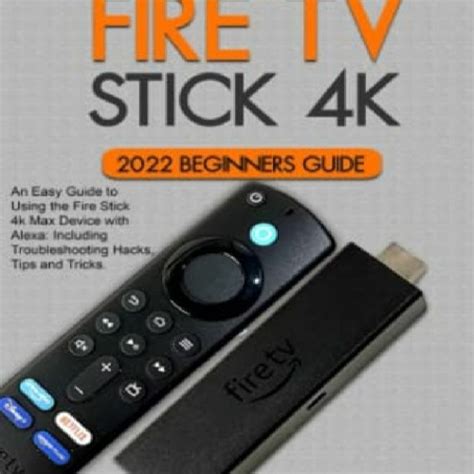
The journey of the Amazon Fire TV Stick mirrors the broader narrative of digital media consumption. Before its debut, consumers were largely tied to cable subscriptions or clunky media centers. The "cord-cutting" phenomenon, driven by the desire for cheaper, on-demand content, created a fertile ground for dedicated streaming devices.
Amazon entered this burgeoning market in **2014** with its first-generation Fire TV Stick. It was a direct competitor to Roku and Google's Chromecast, offering a user-friendly interface powered by Fire OS and direct integration with Amazon's Prime Video ecosystem. This initial offering, while basic by today's standards, democratized streaming by making it accessible and affordable.
- **2016 (2nd Gen):** Introduced the Alexa Voice Remote, embedding Amazon's AI assistant directly into the entertainment experience, allowing voice commands for search and control.
- **2017 (Fire TV Stick 4K):** Ushered in support for Ultra HD (4K) resolution, HDR (High Dynamic Range), and Dolby Atmos audio, catering to the growing market of premium televisions.
- **2018 onwards:** Further iterations focused on processing power, Wi-Fi capabilities (Wi-Fi 5 and later Wi-Fi 6), and specialized versions like the **Fire TV Stick Lite** (an entry-level 1080p option) and the **Fire TV Stick 4K Max** (boasting enhanced performance and Wi-Fi 6).
This continuous innovation has solidified the Fire TV Stick's position as a dynamic and adaptive player, constantly evolving to meet the demands of higher fidelity content and seamless user interaction. Understanding this trajectory helps beginners appreciate the sophisticated device they now hold and its foundational role in the smart home ecosystem.
Unboxing the Potential: Initial Setup and Core Functionality
For a first-time user, the Fire TV Stick's appeal lies in its straightforward installation, belying its advanced capabilities.
Getting Started: A Seamless Entry
1. **Physical Connection:** Plug the Fire TV Stick directly into an available HDMI port on your television. Connect the provided USB cable to the stick and the power adapter, then plug it into a wall outlet. 2. **Network Connection:** Once powered on and your TV input is switched, the stick will guide you through connecting to your home Wi-Fi network. A stable internet connection is paramount for optimal streaming quality. 3. **Amazon Account Integration:** Log in with your existing Amazon account credentials. This links your device to your Prime Video library, purchase history, and other Amazon services. If you don't have one, the setup process will prompt you to create one.Navigating the Fire OS Interface
The Fire TV Stick operates on **Fire OS**, an Android-based operating system customized by Amazon. Its interface is designed for intuitive navigation:- **Home Screen:** Dominated by personalized recommendations from various streaming services, followed by rows of installed apps, recent content, and your library.
- **Alexa Voice Remote:** The cornerstone of interaction. Pressing the microphone button allows you to speak commands for searching content, opening apps, controlling playback, and even checking weather or sports scores.
- **App Installation:** Access the "Apps" section or use voice search to find and download thousands of streaming services (Netflix, Disney+, Hulu, YouTube), utility apps, and games.
Mastering these basic interactions forms the bedrock of your Fire TV Stick experience, enabling immediate access to a vast library of entertainment.
Beyond the Basics: Advanced Features and Ecosystem Integration
While its primary function is streaming, the Fire TV Stick's true power lies in its capacity for advanced features and seamless integration within the broader Amazon ecosystem.
Smart Home Hub Potential
The Fire TV Stick, particularly models with enhanced Alexa capabilities, functions as a visual hub for your smart home:- **Voice Control:** Use the Alexa Voice Remote to control compatible smart lights, thermostats, and other devices connected to your Alexa account.
- **Camera Feeds:** View live feeds from compatible smart security cameras (e.g., Ring, Arlo) directly on your TV screen by simply asking Alexa.
- **Notifications:** Receive smart home notifications, such as doorbell presses, visually on your TV.
Performance Tiers and User Experience
Amazon offers several Fire TV Stick models, each catering to different needs and budgets. Understanding these distinctions is key to optimizing your experience:| Feature | Fire TV Stick Lite | Fire TV Stick 3rd Gen | Fire TV Stick 4K | Fire TV Stick 4K Max |
| :------------------ | :----------------- | :-------------------- | :--------------- | :------------------- |
| **Max Resolution** | 1080p | 1080p | 4K HDR | 4K HDR |
| **Processor** | Dual-core | Quad-core | Quad-core | Faster Quad-core |
| **Wi-Fi Support** | Wi-Fi 5 (ac) | Wi-Fi 5 (ac) | Wi-Fi 5 (ac) | Wi-Fi 6 (ax) |
| **Alexa Voice Remote** | Yes (no TV controls) | Yes (with TV controls) | Yes (with TV controls) | Yes (enhanced, with TV controls) |
| **Price Point** | Entry-level | Mid-range | Premium | Performance Premium |
Choosing the right stick often depends on your TV's capabilities and your home network's speed. A 4K Max, for instance, offers snappier navigation and better performance on Wi-Fi 6 networks, significantly enhancing the user experience compared to entry-level models.
Personalization and Customization
- **User Profiles:** Create distinct profiles for family members, ensuring personalized recommendations and watch histories.
- **App Management:** Regularly manage installed apps and clear cache to maintain optimal performance and free up storage.
- **Parental Controls:** Implement PIN protection for purchases and content restrictions to ensure child-friendly viewing.
Implications for the Modern Media Consumer
The Fire TV Stick's widespread adoption has profound implications for how we consume media and interact with our homes.
Cord-Cutting Reinvented
For many, the Fire TV Stick is the linchpin of their cord-cutting strategy. It liberates consumers from expensive cable bundles, allowing them to subscribe only to the streaming services they genuinely use. This granular control over content selection often translates into significant cost savings, empowering users to curate their entertainment precisely.Enhanced Accessibility and Convenience
The Alexa Voice Remote is not just a novelty; it offers significant accessibility benefits. Users with limited mobility can navigate menus and search for content with simple voice commands. Furthermore, features like closed captions, audio descriptions, and text banners enhance the viewing experience for diverse audiences. The convenience of having all entertainment centralized on one platform, easily controlled by voice, streamlines the entire media consumption process.Security and Privacy Considerations
As with any connected device, security and privacy are paramount. Beginners should be aware of:- **Account Security:** Use strong, unique passwords for your Amazon account and enable two-factor authentication.
- **Data Collection:** Understand that Amazon collects data on your viewing habits to personalize recommendations and advertising. Review and adjust your privacy settings within the Fire OS menu.
- **VPN Usage:** For those concerned about geo-restrictions or enhanced privacy, integrating a VPN service with your Fire TV Stick can offer additional control over your internet traffic and virtual location.
Conclusion: Empowering Your Entertainment Journey
The Amazon Fire TV Stick is far more than a simple plug-and-play device; it's a sophisticated media player, a smart home visual hub, and a testament to the ever-evolving nature of digital entertainment. For beginners, understanding its historical context, core functionalities, and advanced integration capabilities transforms a basic setup into a gateway for a truly personalized and expansive media experience.
By taking the time to explore its settings, leverage the power of the Alexa Voice Remote, and integrate it with your smart home ecosystem, you can unlock the full potential of your new media player. The Fire TV Stick empowers users not just to consume content, but to actively curate, control, and enhance their entertainment journey, solidifying its role as an indispensable component of the modern connected home.
